Benefits of Pay-As-You-Go Pricing
- No annual subscription commitments.
- No large upfront purchases.
- Pay only for the synthetic data you generate.
- Cost scales with your usage needs.
Subscription costs
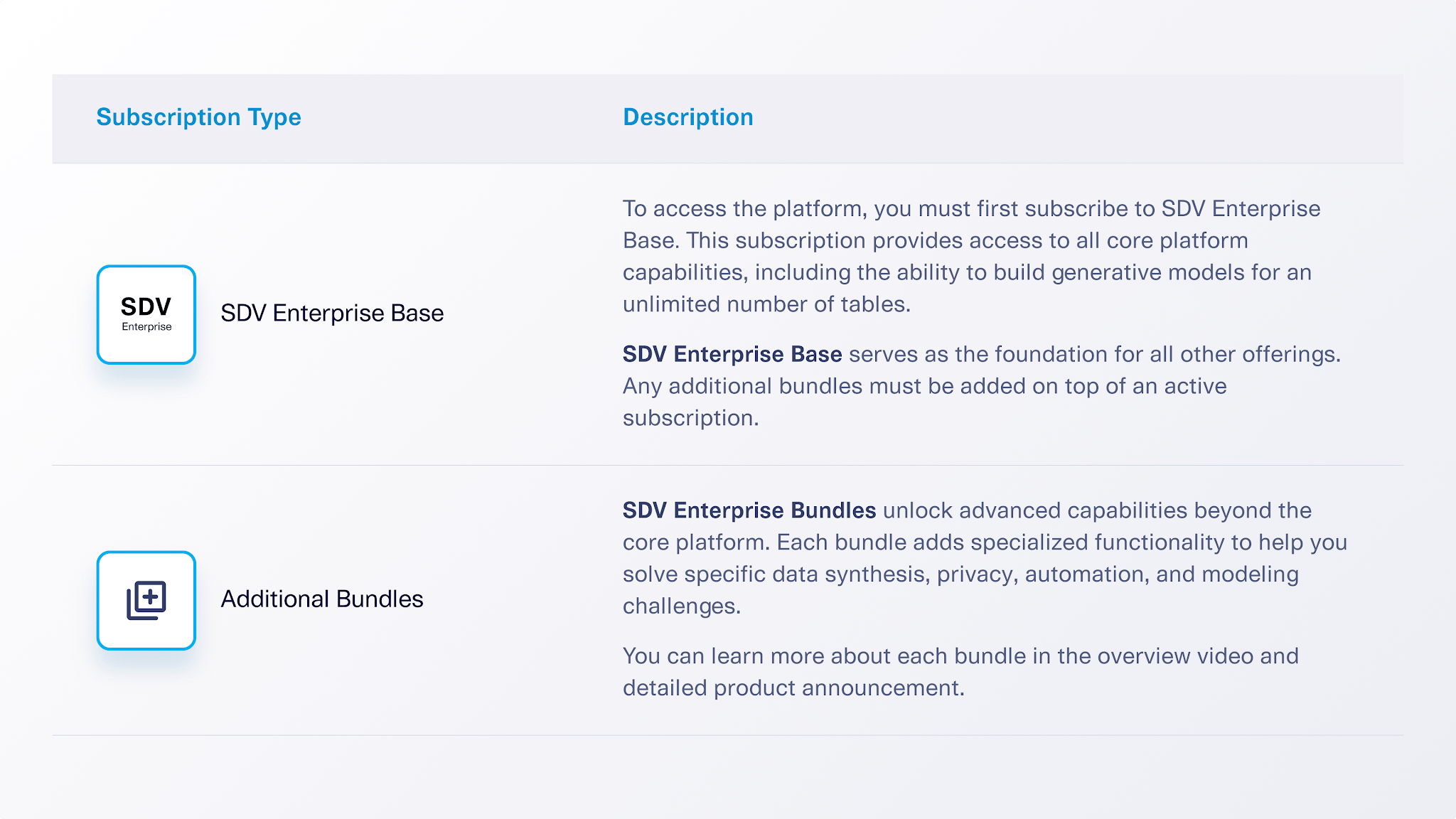
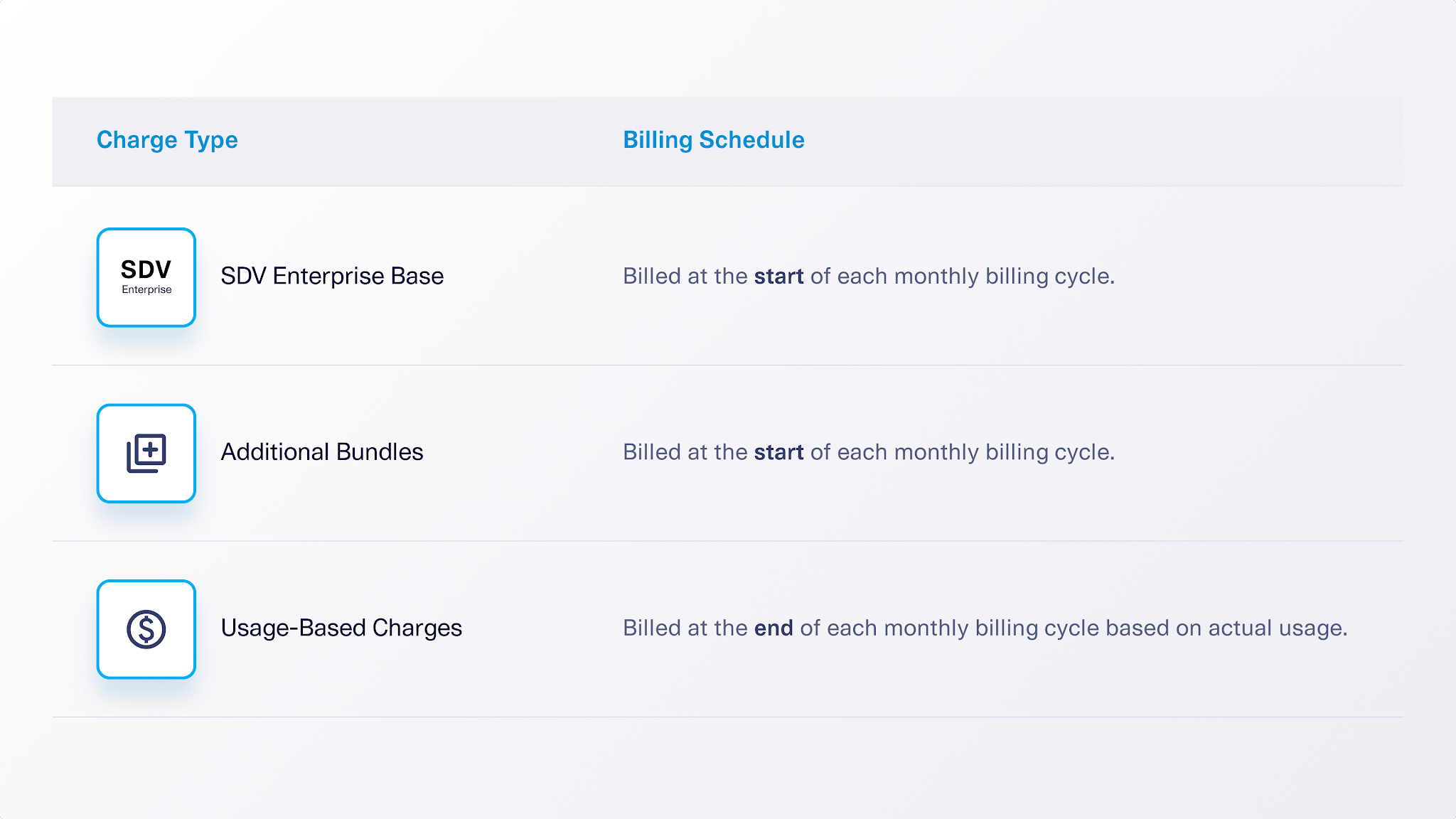
Subscriptions are charged on a recurring monthly basis. To calculate your flat monthly subscription cost, combine the cost of SDV Enterprise Base with the cost of any additional bundles you need.Note: Your total monthly cost includes software subscription costs as well as pay-as-you-go usage costs detailed in the next section.
Usage-based pricing and costs
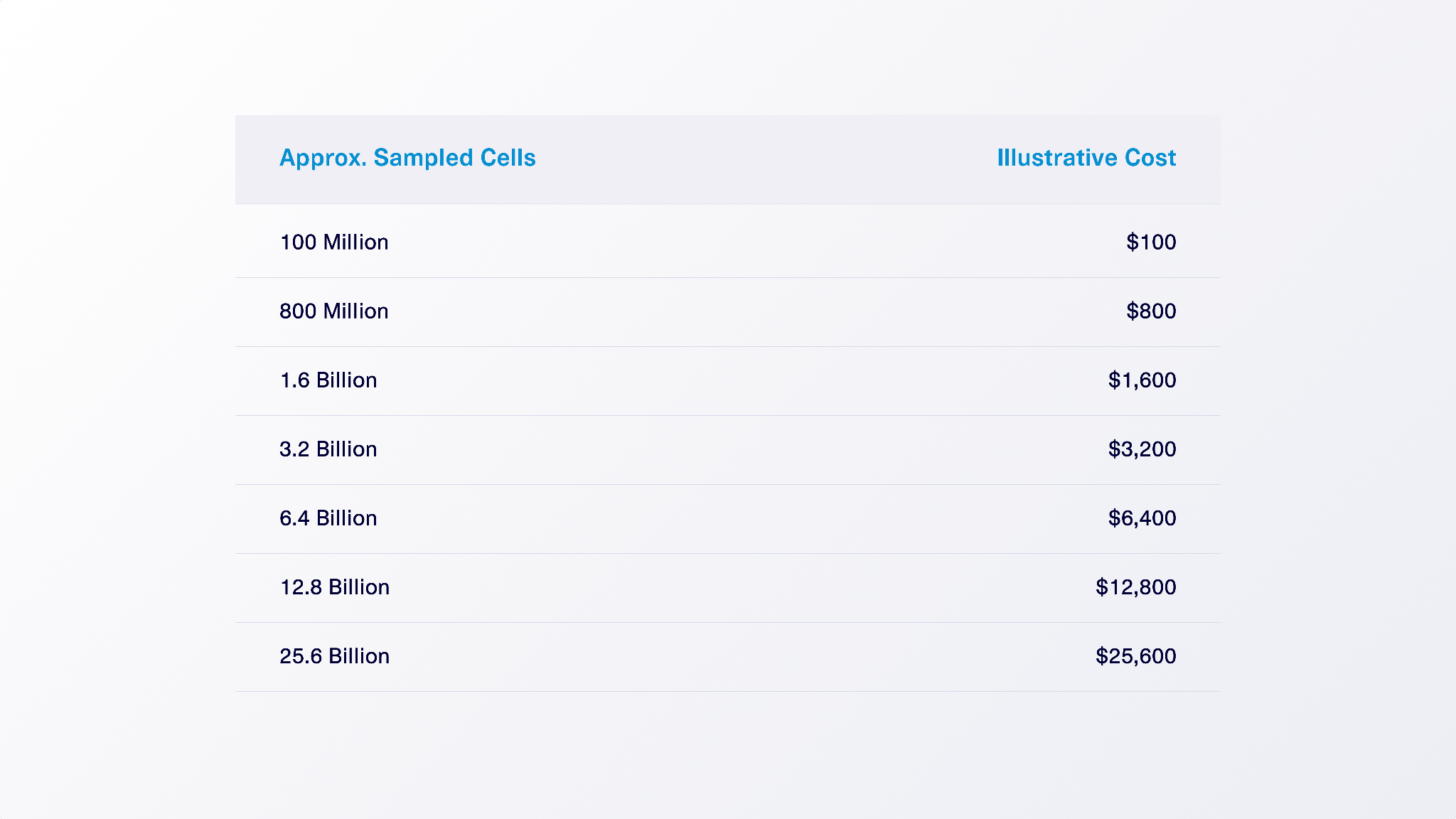
Your subscription provides access to SDV Enterprise Base, so that you can build and train generative models. Product usage is measured when you generate synthetic data from those trained models. The unit of usage is a sampled cell. A sampled cell represents a single generated data value within a table. For a single table, the total number of sampled cells is calculated as: Number of rows generated × Number of columns in the table. For example, if you generate a table with 100,000 rows and 20 columns, that’s a total of 2,000,000 sampled cells.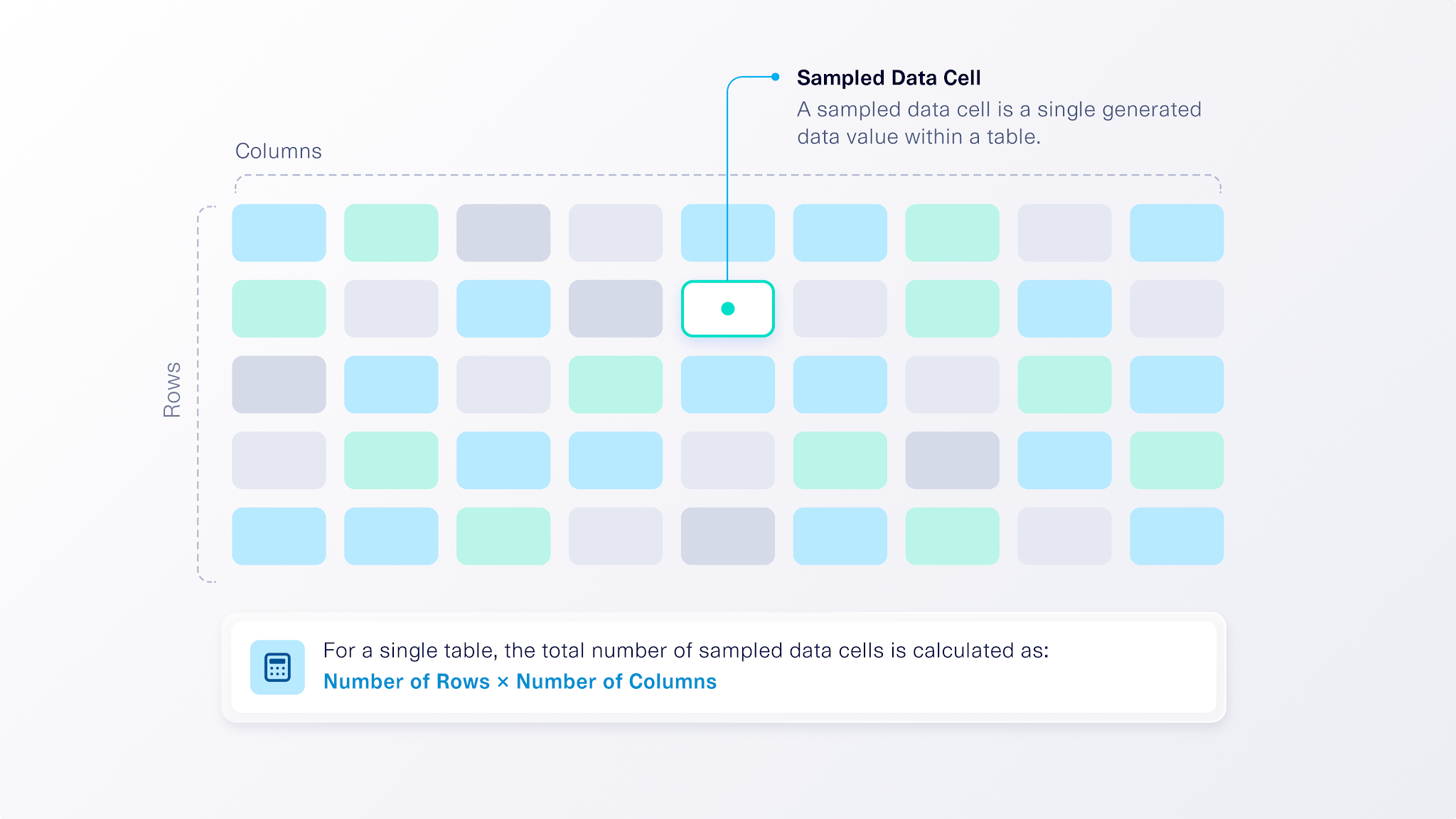
Estimating sampled cell counts for multi-table datasets
For multi-table datasets, the total number of sampled cells is the sum of the sampled cells generated across all tables in the dataset. To estimate usage for a multi-table model, use the scale parameter provided by SDV. The scale parameter controls the overall size of the synthetic dataset relative to the original data used to train the model.- scale = 1.0 generates approximately the same amount of data as the original dataset.
- scale = 0.5 generates approximately half as much data.
- scale = 2.0 generates approximately twice as much data.
Note: These figures are estimates. Because synthetic data generation involves probabilistic sampling, the actual amount of data generated may be slightly higher or lower than the estimated amount.
Purchase and subscribe via DataCebo portal
You’ll manage your SDV Enterprise account through the DataCebo Portal. There you can purchase or cancel subscriptions, manage bundles, monitor usage, and access license keys. If you haven’t already logged in, get started today by visiting this link.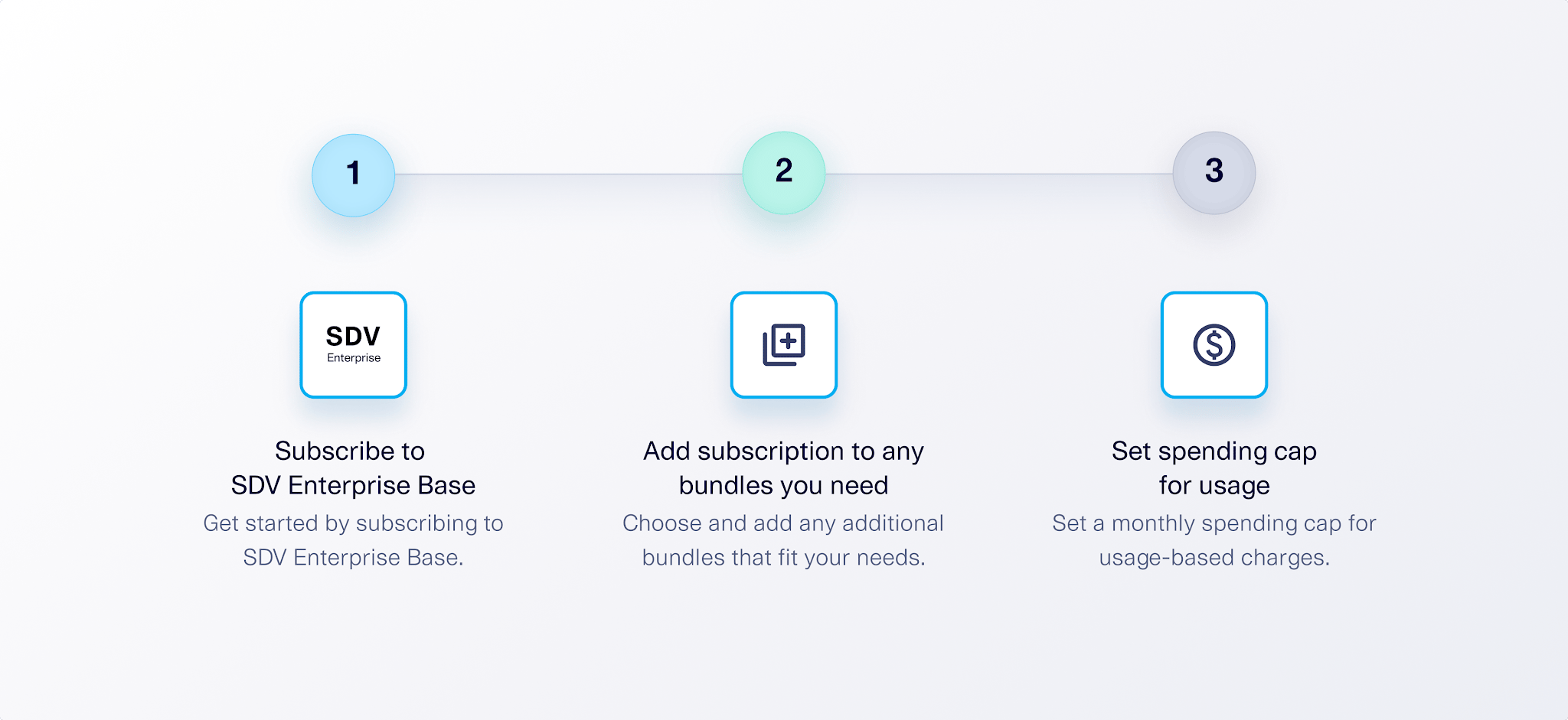
1. Subscribe to SDV Enterprise Base.
Once you have logged into the DataCebo Portal, you can subscribe to SDV Enterprise Base by navigating to the Subscriptions page and adding the subscription to your account.2. (Optional) Subscribe to additional bundles.
Once SDV Enterprise Base has been added, you can select and subscribe to additional bundles, such as AIConnectors, XSynthesizers, or Targeted Sampling. Once you have completed your purchase, your subscription will be shown as “Active.” Your license key will allow you to download and install the package, so you can start building.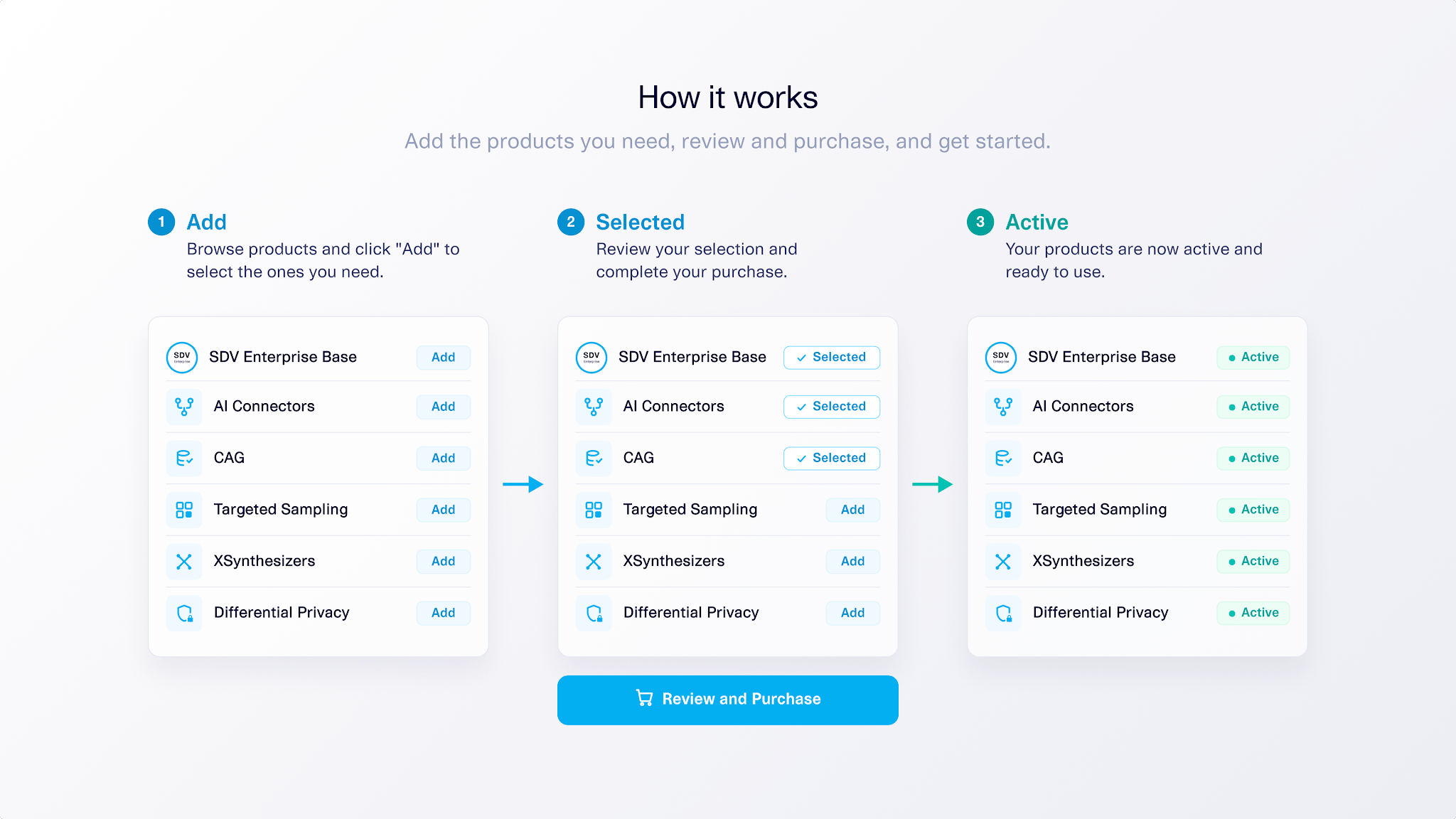
3. Set a monthly spending cap for usage-based synthetic data generation.
Usage-based charges are controlled through a monthly spending cap, which you can specify in USD. SDV will generate synthetic data until the cap has been reached. After that, additional sampling will be paused until the cap resets at the next billing cycle. You can increase or decrease your spending cap at any time. This approach gives you predictable costs along with the flexibility to scale usage up or down as needed.Billing
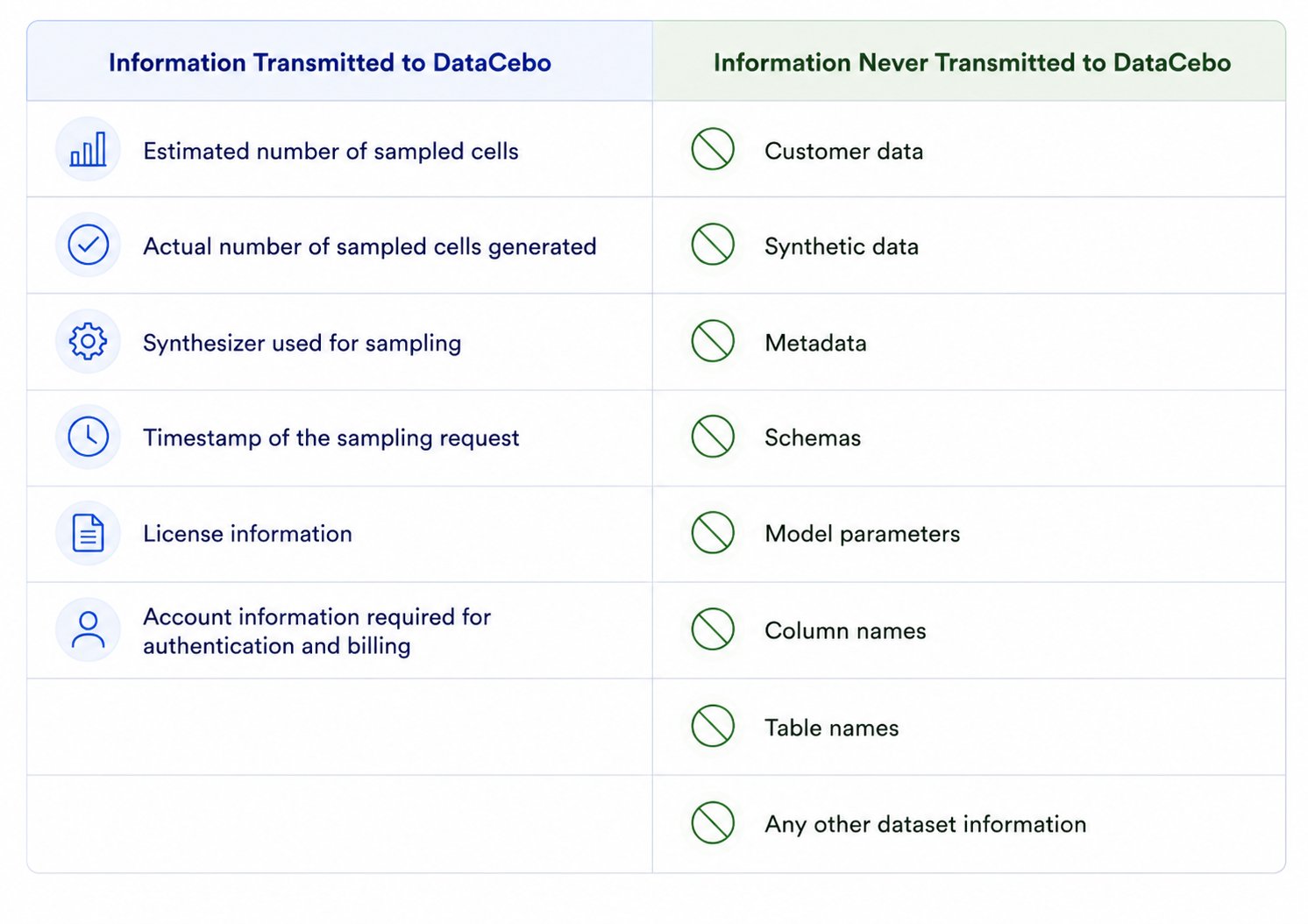
What information is shared with DataCebo?